
How to Take Better Meeting Notes and Turn Them Into Clear Next Steps
There is a particular kind of workday frustration that arrives after a meeting: you open your notes and find a page of half-sentences, stray ideas, and a mysterious reminder to “circle back.” You remember the conversation, but not quite what you agreed to do. Everyone seemed aligned in the moment, yet the next step is suddenly floating between inboxes.
Better meeting notes can change that. They do not need to be beautiful, exhaustive, or typed at top speed. They need to help you answer four practical questions: What did we discuss? What did we decide? Who is doing what? By when? Once those answers are visible, your notes become more than a record. They become a small operating system for follow-through.
The most useful approach is simple: prepare a little before the meeting, listen for decisions rather than every sentence, and rewrite your rough notes into clear next steps while the conversation is still fresh.
Start before the meeting with a note-taking plan
Know what kind of meeting you are entering
A project kickoff, a one-to-one, a brainstorming session, and a client call do not require the same notes. Before the meeting, name its purpose in one line. For example: “Choose the launch date,” “Unblock the design review,” or “Understand the client’s priorities.” That sentence gives you a filter. You can pay closer attention to information that helps the group reach that outcome.
If there is an agenda, copy its headings into your page before the call and leave room beneath each item.
Create a small “watch for” list
Under the purpose, write three prompts:
- Decision:What needs to be decided?
- Risk or question:What could delay progress or needs clarification?
- Follow-up:What action should exist when this meeting ends?
You may not fill every line, but the prompts keep you from treating every comment as equally important. They also help when the conversation wanders. A gentle question such as “Can we connect that back to today’s decision?” can bring the group to a useful conclusion without sounding abrupt.
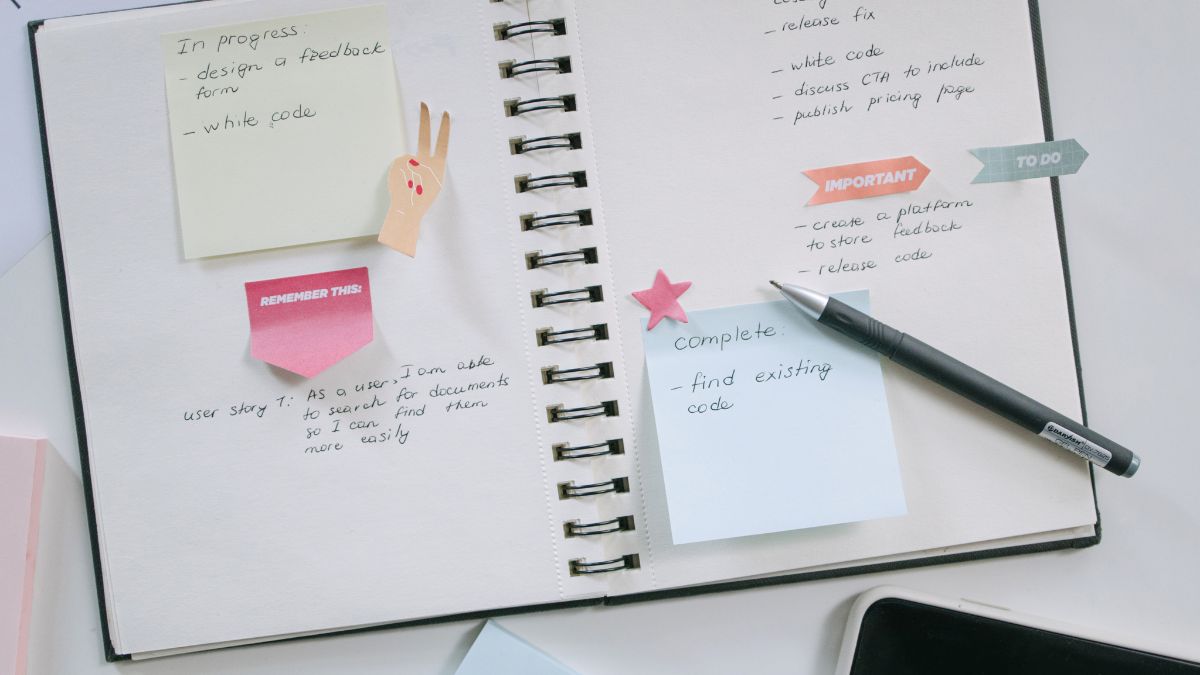
Use a three-layer structure while people are talking
Layer one: context
At the top of the page, record the basics: the date, meeting name, attendees, and purpose. Add the agenda or project name if it will help you find the notes later. This takes less than a minute and saves you from wondering, “Which conversation was this?” two weeks from now.
Layer two: meaning
During the meeting, capture the ideas that change understanding. You do not need to record every example or repeat every person’s wording. Look for information such as a new constraint, a customer need, a strong recommendation, a concern, or a point of disagreement.
Use short phrases instead of full sentences. “Budget approval required before vendor contact” is more useful than trying to reproduce a five-minute explanation word for word. If a statement is especially precise or sensitive, write it accurately and mark it as a quote so you know it is not your interpretation.
Layer three: movement
The most important layer is what moves the work forward. Mark decisions, action items, owners, and dates as they appear. You can use simple labels such as DECISION, ACTION, QUESTION, and PARKED. Symbols work too, but only if you will remember them later.
For example:
DECISION: Use the shorter onboarding email sequence for the April test.
ACTION — Maya: Draft revised copy by Thursday, April 11.
ACTION — Jo: Confirm the test audience with analytics by Friday, April 12.
QUESTION: Do we need legal review before sending?
This format separates what happened from what must happen next.

Listen for the sentences that create accountability
Notice decision language
Decisions often arrive in ordinary language: “Let’s go with option B,” “We will pause this,” or “I’m comfortable approving that.” When you hear a decision, record the choice and, if relevant, the reason. The reason helps the team revisit the decision intelligently instead of reopening the entire discussion later.
If the choice is unclear, ask for a clean confirmation: “Just to make sure I capture this correctly, are we choosing option B for this phase?” This is not an interruption for the sake of documentation. It prevents several people from leaving with different versions of the outcome.
Notice ownership language
An action item is incomplete without an owner. “We should update the deck” is an idea. “Priya will update slides five through seven” is an action item. If no one volunteers, ask, “Who is the best person to take that?” If the task belongs to a group, identify one accountable lead rather than assigning it vaguely to “the team.”
Also listen for hidden dependencies. “I can do that once I receive the numbers” contains two actions: someone must provide the numbers, and someone else can then complete the task. Capture both so the first step does not disappear.
Notice time language
“Soon,” “next week,” and “before launch” may sound clear in conversation, but they are not reliable deadlines. Convert them into a specific date when possible. If the date is not known, record the next checkpoint: “Confirm timing at Tuesday’s stand-up.” A checkpoint is still better than a promise that no one can measure.

Turn rough notes into a next-step list before you close the page
Run a five-minute cleanup
Immediately after the meeting, spend five minutes editing your notes. First, circle or bold every decision. Next, turn each action into a sentence with four parts: verb, deliverable, owner, deadline.
Instead of writing “Website feedback,” write “Collect homepage feedback from the sales team — Lena — Wednesday.” Instead of “Talk to finance,” write “Ask finance to confirm the revised budget range — Sam — Monday.” Specific verbs make the work easier to start.
Then label each unanswered question with a person responsible or a meeting where it will be revisited.
Separate “done,” “next,” and “later”
Not every idea deserves immediate action. Divide your list into three small groups:
- Done:Decisions or tasks completed during the meeting.
- Next:Actions that must happen before the next checkpoint.
- Later:Useful ideas that were intentionally postponed.
This protects the team from turning every good suggestion into an urgent commitment. It also gives parked ideas a home, so they do not keep interrupting the current priority.
Send a concise recap
A follow-up message should make alignment easy, not recreate the entire meeting. Start with one sentence about the outcome. Then list decisions and action items with owners and dates. End with open questions or the next check-in.
For example:
Today’s outcome: We agreed to test the shorter onboarding sequence in April.
Next steps: Maya will draft copy by April 11. Jo will confirm the audience by April 12. Sam will check whether legal review is required by April 9.
Open question: We will confirm the final send date after the audience is approved.
Invite corrections while the meeting is fresh, with a clear reply deadline.
Make your notes easier to revisit
Write for future-you
Assume you will return to the page after a busy week. Add enough context that the notes make sense without the original conversation. Name the project, spell out unfamiliar abbreviations, and link to the relevant document if your workplace allows it.
Use searchable headings such as “Pricing decision,” not “Important thing.” Add a Next review line with the next checkpoint.
Keep your own system human
The goal is not a perfect transcript. If a format slows you down, simplify it. Typed outlines and handwritten keywords can both work; consistency matters more than style. Voice-to-text may help where permitted, but review it carefully because automated transcription can mishear names, technical terms, or decisions.
A note on wellbeing: a clearer system may reduce avoidable work stress, but it is not medical or mental-health treatment. If meeting demands are affecting your health, seek appropriate support and discuss workable accommodations through the channels available to you.
Avoid the meeting-note mistakes that create more work
Mistake 1: Trying to capture everything
A transcript can hide the decision inside a wall of text. Focus on meaning, movement, and context. If a detail changes neither understanding nor action, leave it out of the final recap.
Mistake 2: Recording ideas without decisions
A suggestion is not an outcome. Mark whether it was approved, rejected, assigned for research, or parked so brainstorming is not mistaken for a commitment.
Mistake 3: Leaving owners and dates implied
Write the owner and date explicitly, even when they seem obvious. Clarity is kinder than a follow-up that begins, “I thought you had it.”
Mistake 4: Editing during the discussion instead of listening
Use abbreviations, arrows, and unfinished phrases in your first pass. Clean them up afterward so formatting does not make you miss the sentence that changes the plan.
Mistake 5: Never sharing the record
Shared decisions need a shared home. Send the recap to the relevant people and follow confidentiality rules. Corrections can reveal where the meeting itself lacked clarity.
A simple template you can use today
Copy this structure into your preferred notes space:
Meeting:
Date:
Purpose:
Attendees:
Key discussion:
- What changed?
- What needs attention?
Decisions:
- Decision — reason, if useful
Action items:
- Verb + deliverable — owner — date
Open questions:
- Question — person or checkpoint responsible
Parked ideas:
- Idea — when to revisit
Next review:

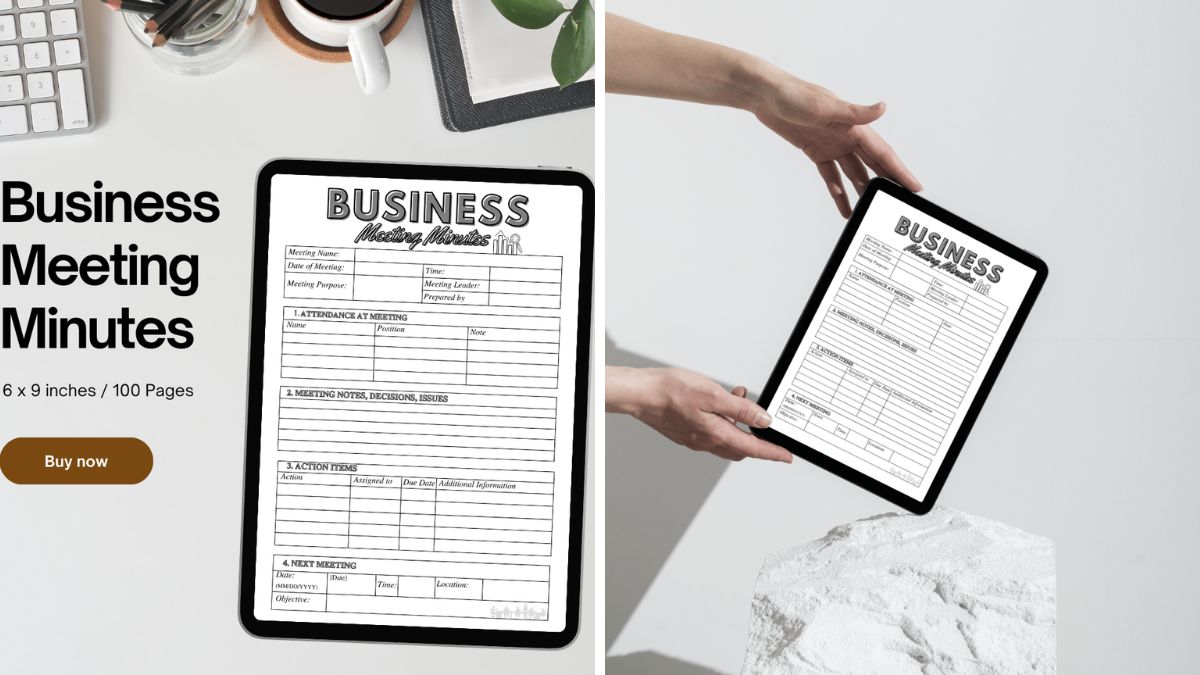
If you would rather begin with a pre-built journal-style layout, the Business Meeting Minutes / Editable Canva Template is described on its listing as an editable Canva template for documenting meeting proceedings. It includes customizable sections for meeting details, agenda items, an attendee list, minutes, and action items, and is presented for uses such as weekly team meetings, client consultations, and boardroom discussions. Review the listing for current price and purchase details, and check that Canva-based materials fit your organization’s storage and sharing requirements.
FAQ: Better meeting notes and next steps
Should I take notes by hand or digitally?
Choose the method that helps you listen and retrieve information later. Handwritten notes can be useful for quick keywords and visual thinking, while digital notes are easier to search and share. The best method is the one you can use consistently and store according to your workplace’s privacy requirements.
How do I take notes when I am also leading the meeting?
Prepare the headings and decision prompts in advance, then ask a colleague to capture details when the discussion becomes complex. If that is not possible, record only decisions, actions, questions, and owners during the meeting. Add context afterward using the agenda and any approved materials.
What should I do when nobody accepts an action item?
Pause before the meeting ends and name the gap: “We have agreed on the task, but we do not yet have an owner.” Ask who has the right context and capacity, or agree on when ownership will be assigned. Do not quietly assign it to yourself unless you genuinely have the time and authority to take it on.
Your next meeting can end more clearly
You do not need a new personality, a complicated app, or pages of perfect prose to become better at meeting notes. Start with the purpose, listen for decisions, and give every real action an owner and a date. Then spend five minutes turning your rough capture into a recap someone can use.
At your next meeting, try one small change: write DECISION, ACTION, OWNER, and DATE at the top of the page. Before everyone leaves, read the action list aloud. That simple habit can turn a vague “we’ll follow up” into a plan that actually moves.
About the Author